A guided fix when the tunnel fails
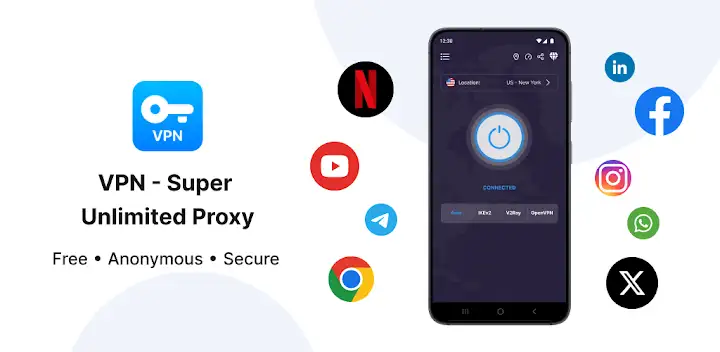
VPN Super Inc has added a troubleshooting tool called Connection Diagnostics to its Android app, VPN - Super Unlimited Proxy. The developer's Google Play release notes say the feature walks you through fixing connection problems when they happen.
In practice, a user whose connection fails should now get prompts inside the app instead of having to look for a help page. The same release notes list fixes for several crashes and for bugs including issues with the eSIM offer and Wi-Fi notifications.
Diagnostics arrived in the release before this one. The latest update, version 2.37.0, adds nothing new according to the developer. Its notes mention only bug fixes and stability work.
What the tool replaces
The developer gives no step-by-step account of what Connection Diagnostics checks. Its own support guide shows what users had to do by hand before. For slow connections it tells users to tap the Location button and pick Fastest Location, or to try a different protocol from the home screen. When the VPN keeps dropping, it suggests checking the underlying Wi-Fi or mobile data, then a different protocol, then restarting the app and the device, then switching to another server location.
The guide also says some failures are not faults at all. Streaming services actively look for VPN traffic and may block it while the connection itself works fine, the developer writes. Shared VPN addresses can also trigger blocks or CAPTCHAs on websites.
Diagnostics draws on data about the user's connection, so the privacy terms matter. The Play listing says We don't collect or store any activity logs or personal data. Diagnostic info from reported connection issues is never shared externally. On paper, that rules out sharing diagnostic data outside the company. It does not say whether that data is stored.
An iPhone app with a similar feature
Apple's App Store carries an app under the same name, and its release notes describe a similar tool. Those notes say the app can now find what's wrong and help you get back online. You can also reinstall your VPN profile right from Settings.
The two apps come from different companies. TechRadar pointed out that on Android the app should come from VPN Super Inc, whereas on iOS, the company behind it is Mobile Jump Pte Ltd. As a result, a feature announced for one store's app does not automatically describe the other.
Free to start, Premium for most countries
The app asks for very little to get started. According to its Play listing, it needs no account or card. The free tier has unlimited data, more than 25 server locations and all three protocols (OpenVPN, IKEv2 and V2Ray), though which protocols are available depends on location. Free users also get ads.
Premium removes the ads and opens up more than 60 countries. It also adds servers the developer describes as tuned for streaming, plus apps for Windows, Mac and Android TV, and covers up to 10 devices. TechRadar noted that the 10-device limit counts registered devices, not simultaneous connections. The developer's support pages describe 10 simultaneous connections per account.
TechRadar's review this year found only one subscription tier, sold at three billing lengths. Each length comes with a free eSIM: 1GB of data on the monthly plan, 3GB on six months and 5GB on a year. Separately, the developer says US and Canadian subscribers get a free second phone number when you subscribe, and weekly phone credits from 2nd Line+ for as long as they stay on Premium. In practice, the extras depend on the billing length and on the country.
Kill Switch is off until switched on
Connection Diagnostics adds to two existing tools for handling dropped connections. The developer's Android page says that when reconnection fails, Kill Switch blocks all traffic until the VPN comes back. It also says Kill Switch is disabled by default until you turn it on in Settings. Users who never open Settings therefore have no traffic block when the tunnel drops.
Split tunneling decides which apps go through the VPN and which connect directly. The developer says it is only available on the VPN Super app for Android, under the menu's Settings screen.
On the desktop side, the company's help centre says its Windows app is launching globally and becoming available to more users every day. The developer's installation guide adds that Windows use requires a Premium subscription.
A free VPN with a record of scrutiny
VPN - Super Unlimited Proxy sends a phone's traffic through the developer's servers, so websites see the server's address instead of the user's. The developer pitches it at people on public Wi-Fi, gamers who want to reach servers in other regions, and streamers.
Reviewers have been less generous. TechRadar's review this year called the service fast and cheap but too barebones to compete. It reported a significant security flaw found while testing the Windows app, and failures to unblock streams that worked on rival VPNs.
Earlier, on 1 August 2025, TechRadar warned readers away from the iPhone version while it sat high in Apple's free chart. It cited App Store disclosures that the app records usage data to track users across other apps and websites. That account conflicts with the developer's Play listing, which says the Android app keeps no activity logs or personal data. This matters for a free app built around privacy.
Sources
- VPN - Super Unlimited Proxy - Apps on Google Playplay.google.com
- VPN Connected But Not Working? 7 Common Issuesvpnsuper.com
- Android VPN App: Easy Security and Unrestricted Accessvpnsuper.com
- VPN Super Supportvpnsuper.com
- VPN Super Unlimited review: fast and cheap but too barebones to competetechradar.com
- VPN - Super Unlimited Proxy - App Store - Appleapps.apple.com
- VPN-Super Unlimited Proxysupport.vpnsuper.com
- Beware! 3 free VPNs are topping App Store charts right nowtechradar.com

By Kelvin Ooi
Security and privacy editor ·
The app in this story
VPN - Super Unlimited Proxy
com.free.vpn.super.hotspot.open