3.9 / 5
Good
- Core UPI transfers, bills and recharges sit behind no paywall
- Sends to any UPI bank account, not only other Google Pay users
- Every transaction needs your UPI PIN, with an optional fingerprint lock
- Recharges carry no extra charge, according to the developer
Not so good
- Does nothing until a bank account and registered mobile number are linked
- Card payments depend on your bank and card network supporting it
- Gold trading and partner loans are financial products sold in the same app
- Rewards are tied to referrals and offers, which nudges you to spend
What it asks before it does anything
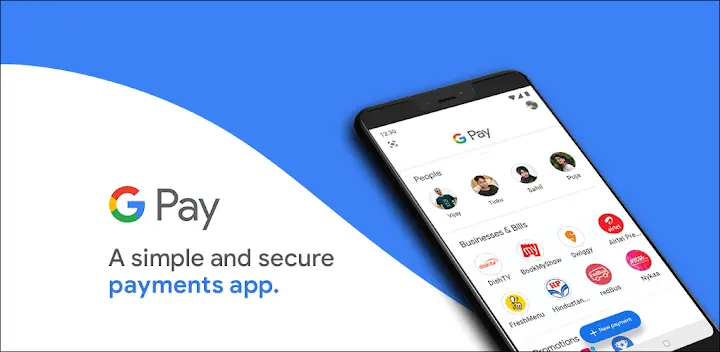
Google Pay is Google's UPI payments app for India. You use it to send money from your bank account, pay shops by scanning a QR code, settle household bills and top up a phone. It costs nothing to install, and none of the core payment features sit behind a subscription. The price is paid elsewhere. Before the app is any use, you have to link a bank account that is tied to your registered mobile number.
That setup is the real commitment, and it is worth understanding before you start. Linking the account gives you a UPI ID, which other people use to pay you instead of asking for your account number and IFSC code. You also set a UPI PIN of 4 or 6 digits, and every payment needs it. Your money stays in your bank account; the app only moves it when you approve a payment. Google says it works with any bank that supports BHIM UPI, so most people can link the account they already have.
If you decline the bank link, there is very little left. This is not an app you can browse first and commit to later. It is a payments front end for your existing account, and with more than 1,000,000,000 installs it is one of the apps people most often reach for to do that job.
The part that never costs you anything
The main job is moving money, and it is all available from the start. You can send money by UPI to any bank account, including to people who do not use Google Pay, which matters if you are paying a landlord or a relative who banks elsewhere. You can also scan a shop's QR code at the counter, so a small purchase does not need cash or a card.
Bills are the next most useful feature. You link a biller account once, for DTH, broadband, electricity, FASTag, LPG and similar services, and the app reminds you when each one is due. If your bills currently come in by SMS, email and paper, having them all in one place is the real benefit. Mobile recharges work the same way: you browse current prepaid plans in the app, and the developer says recharging costs nothing on top of the plan price.
There is also a balance check, so you can see what is in your linked account without going to a cash machine or opening a separate banking app. It is a small feature, but people who have several accounts linked will use it often.
Where money actually changes hands
The app itself is free, but some of what it offers is a financial product, and those are worth separating out. The first is gold. You can buy and sell 24K gold at rates the developer says are backed by MMTC-PAMP. You either keep it in a Gold Locker inside the app or have it delivered as coins. Some rewards now pay out in gold too. Buying gold in a payments app is easy, and that ease is the catch: it is an investment that can lose value.
The second is credit. Loans are offered through partner lenders, including Aditya Birla Finance Limited, Axis Bank, Bajaj Finance Limited and DMI Finance. Google Pay is the shopfront here. The interest, fees and repayment terms come from whichever lender you deal with, so read their terms with the same care you would at a branch.
Card payments are a middle case. You can add debit and credit cards and use them for online payments such as recharges, or tap your phone on NFC terminals in shops. However, the developer says this is still rolling out across banks and card networks, so whether your card works depends on who issued it.
| Feature | What it asks of you |
|---|---|
| UPI transfers and QR payments | A linked bank account and your UPI PIN |
| Bill payments | Linking each biller account once |
| Mobile recharges | Nothing extra on top of the plan, per the developer |
| Card payments | A bank and card network that support it |
| 24K gold | Buying at rates backed by MMTC-PAMP |
| Loans | The partner lender's own terms |
Rewards, shopping and the push to spend
Google Pay pays cash rewards into your bank account when you pay, take up offers or refer friends. It is a pleasant extra, but it works by encouraging you to spend more and to bring in new users. Treat the rewards as a small bonus, not a reason to pay through the app when another method would suit you better.
The app also connects to partner services such as Zomato, redBus and MakeMyTrip, so you can order food or book travel and pay with the same balance. That is convenient if you already use those services. If you only want a quiet tool for transfers and bills, all the offers, gold and loans make the app much more than a wallet.
Security, as promised
Every transaction needs your UPI PIN, and you can also lock the app with your phone's own lock, such as a fingerprint. Google says it uses fraud and hacking detection alongside your bank's protections. We cannot check how well that works. What we can say is that the PIN on every payment and the optional device lock are sensible basics for an app connected directly to your bank account.
The usual UPI advice still applies, and it matters more than any feature: never share your PIN with anyone, including someone claiming to be from the app or your bank. You only enter it to send money, never to receive it.
The deal, weighed up
As an offer, this is generous where it counts. Transfers, QR payments, bill reminders, recharges and balance checks all come at no charge, and none of them is a free trial for a paid tier. The real costs are the bank link, which is the whole point of a UPI app, and the steady presence of gold, loans and offers next to your payments.
It suits anyone in India who wants one app for paying people, shops and household bills from their existing bank account. Skip it if you are not willing to link a bank account to your mobile number, or if you want a payments app without credit and investment products alongside. If you plan to tap and pay by card in shops, check that your issuer supports it before you rely on it. We score it 3.9: a strong free core, with caveats about what the app also sells and what it needs from you before it does anything.

By Mei-Lin Chua
Contributing editor, apps and storefronts ·
The app in this story
Google Pay: Save and Pay
com.google.android.apps.nbu.paisa.user