Glow up in seconds - no editing skills needed.
Community
Facetune: Photo & Video Editor for Face Retouching
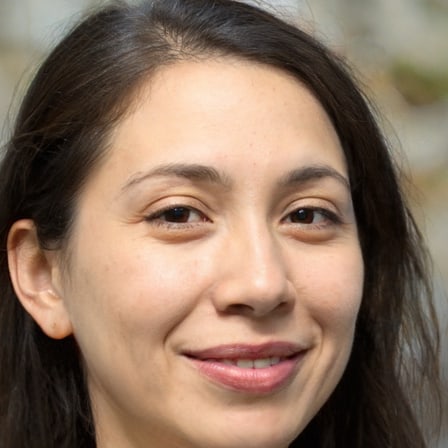
By Trang Nguyen
Editor, media and streaming
- Hair color changer with shades from red to blonde
- One-tap teeth whitening and facial hair removal filter
- Skin tone editor that evens blotchiness and softens texture
- Makeup editor for eyebrows, lashes and lip color
- Eye brightening, defining and eyelash editing
- Face, hair and skin tools applied to video clips
What Facetune edits and who it suits
Facetune works on the face in a photo or video: retouching skin and features, recoloring hair, adding makeup and adjusting the eyes. The developer pitches it at people who want a picture of themselves to still look like them afterward, rather than a heavily filtered version. Photos come from your camera roll.
Most of the tools make small, specific changes: a shade of hair, a softer patch of skin, a sharper eyebrow. The listing says the hair and makeup tools let you try several looks before you settle on one, which is the main reason to use them as try-ons rather than final edits.
The developer says no editing experience is needed to get started.
Trying hair color, hairstyles and volume
The hair color changer moves a head of hair toward red, blonde or any shade in between. The listing also describes trying out hairstyles on a photo, so you can see a cut or style before you get one.
Two smaller hair tools sit alongside these. A hair filter smooths flyaways, and a separate control adds volume in the places you want it. Both are applied to the photo itself, so the result shows in the image you save.
Retouching skin, teeth and facial features
The skin tone editor and skin color changer even out blotchiness and soften texture. The developer says the aim is a retouch that still looks natural, not one that reads as overdone.
Face editing lets you reshape and adjust features and retouch the face while keeping it recognizably the same face. A single-tap filter whitens teeth and removes facial hair, so those fixes take one step each rather than a manual brush.
Makeup, eyebrows, lashes and eye editing
The makeup editor covers eyebrows, lashes and lips. The listing says you can choose a glam look or a natural one, and that you can test a dozen looks before picking the one you want to keep.
A separate eye tool brightens and defines the eyes and edits the eyelashes. It works alongside the makeup editor, so eye changes and makeup changes can be made on the same photo.
Applying face and skin tools to video
Facetune extends to video. The listing names the face editor, the hair color changer and the skin tone tools as the ones that work on clips, so the same retouching you would do on a still can be applied to footage.
The video tools are the same ones described for photos, not a separate editor. If you already know how a still looks after retouching, the clip version of each tool works the same way.
What's new
-Hair is here! Have you always wanted to try a different hair color? Now you can with the new Hair tool. No dye required.
Daniel & The Facetune Team
P.S. If you love Facetune, we'd be thankful if you rated us!
About this APK
The build we hold is Facetune: Photo & Video Editor 2.61.0.4-free (APKS split bundle) for Android 8.0 and up.
- Version
- 2.61.0.4-free
- 1102144
- Requires Android
- 8.0+
- Size
- 122 MB
- Target Android
- 16
- Package ID
- com.lightricks.facetune.free
- Format
- APKS split bundle
- Malware scan
- Google Play Protect
- Permissions
- 24 declared · 7 sensitive
- Camera
- Modify files on your device
- Read files on your device
- Read phone status and identity
- Read the photos you pick
- Read your photos
- Read your videos
- Signed by
- CN=Unknown, O=Lightricks
- Certificate SHA-256
- 78cb3c0daeb250a8645fc3b864cdd87691d79bce85fa44e2c8bad76b360fb1a6
Old versions
2 releasesYou may also like
Popular
Airbrush: Face & Photo Editor
PIXOCIAL TECHNOLOGY (SINGAPORE) PTE. LTD. · Photography
Meitu : Photo & Video Editor
Meitu (China) Limited · Photography
MePic-AI Photo Video Generator
Ocean Float Mobile · Tools
PhotoBoost - AI Photo Enhancer
Tap AI · Photography
EPIK - AI Photo & Video Editor
SNOW Corporation · Photography
Photo Editor - Polish
InShot Inc. · Photography
Vintify : Vintage Photo Editor
justapps · Photography
Klari: Book Summaries & Audio
InnovAI Soft OÜ · Tools
Comments