4.0 / 5
Good
- Learns your slang, nicknames and emoji habits to improve predictions
- Up to five languages active at once, with 700+ supported
- Swipe, tap and voice input plus grammar checking in one keyboard
- Translation and AI rewriting without leaving the chat app
Not so good
- Built on learning what you type, which privacy-minded users may dislike
- The AI assistant is Microsoft's Copilot; no choice of another
- Five active languages is a hard cap for heavy multilinguals
- A lot of GIF, sticker and meme machinery if you just want to type
Built for people who live in their messages
If most of your day on the phone is spent typing, in group chats, emails and comments, the keyboard matters more than almost any app you open. Microsoft SwiftKey AI Keyboard is a replacement Android keyboard for exactly that person. Its pitch is simple: it learns how you write and gets you to the end of the sentence with fewer taps.
It is free to install, and it is plainly a mainstream product: Play puts it at 1,000,000,000+ installs. It is also no longer just a keyboard. Microsoft has folded its Copilot assistant in, along with AI tools for rewriting text and making images.
That combination is the thing to weigh. A typing tool that adapts to you, with a chatbot and a meme maker attached.
Day one: making it yours
The first thing most people will do is set it up to look and feel right. There are more than 100 themes, and you can make your own with one of your photos as the background. More usefully, you can change the keyboard's size and layout, which matters if you have large thumbs, a large phone or one hand free on the bus.
Then comes languages. SwiftKey supports over 700, and you can have up to five switched on at the same time. For anyone who texts family in one language and colleagues in another, that is the feature that decides it: no flipping between keyboards mid-conversation.
After that, you just type. You can swipe across the letters or tap them, whichever suits the moment.
What you will use every day
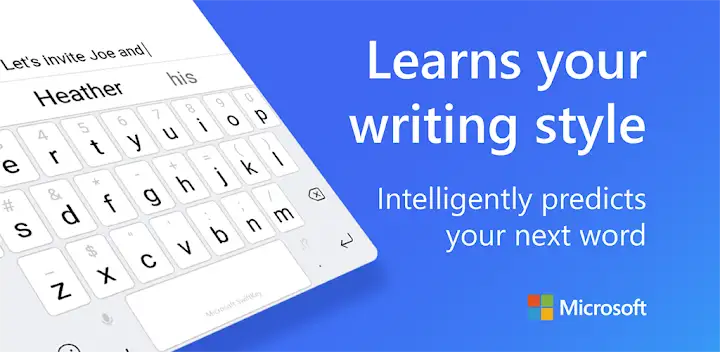
Prediction is the core of it. SwiftKey studies the way you write, including slang, nicknames and the emoji you favour, and uses that to suggest the next word. The developer also promises autocorrect that gets things right, which is a claim every keyboard makes and only your own typing will settle.
Grammar checking runs as you type, for catching errors before you hit send. Voice typing is there for when your hands are full. A customisable toolbar sits above the keys with shortcuts you can expand, for reaching tools without digging through menus.
Emoji get the same learning treatment as words. The keyboard predicts the ones you tend to use, and you can search emoji and GIFs by keyword rather than scrolling through pages of them.
For a daily driver, that covers the basics well on paper. Swipe, tap, voice, prediction, grammar. Nothing obvious is missing.
What you will reach for now and then
The AI tools are the occasional extras. Copilot lets you ask an AI questions from inside whatever app you are typing in. A rewrite tool changes the tone of something you have written, for softening a blunt reply or tidying a message to your boss. A compose tool turns rough notes into a fuller draft.
Translation is the other one worth noting. You can translate a message from the keyboard itself, which saves copying text into a separate app and back.
Then there is the fun end: stickers, GIFs, and AI-generated images and memes for chats. Some people will use these daily. Many will never touch them.
| Use | Tools |
|---|---|
| Every message | Swipe or tap typing, prediction, grammar check |
| Hands busy | Voice typing |
| Multilingual chats | Up to five active languages, built-in translation |
| Now and then | Copilot, tone rewrite, compose |
| For fun | GIFs, stickers, AI images and memes |
Who should look elsewhere
The whole design rests on the keyboard learning what you type. That is how the predictions improve. If you would rather your keyboard did not build a picture of your writing, a minimal or offline-focused keyboard is the better fit.
If you want an AI assistant in your keyboard but prefer one other than Microsoft's, this is the wrong choice. The assistant here is Copilot, full stop.
Heavy multilinguals should check the numbers. Five active languages is generous for most people, but if you regularly juggle more, you will be switching sets.
And if you just want to type, with no GIF panels, sticker packs or meme generators, a stripped-back keyboard will feel less crowded. SwiftKey is built to do a lot.
The verdict
SwiftKey makes a strong case for the person it is aimed at. Learning predictions, swipe and voice input, grammar checking, five simultaneous languages and in-keyboard translation cover what a heavy texter needs, and none of it is described as sitting behind a paywall.
The caveats are about fit, not faults. It learns from your typing by design, its AI is Microsoft's alone, and it carries a lot of extras some people will never want.
Four out of five. Install it if you type a lot, in more than one language. Skip it if you want a quiet keyboard that keeps out of the way.

By Hafiz Rahman
Editor, tools and utilities ·
The app in this story
Microsoft SwiftKey AI Keyboard
com.touchtype.swiftkey