3.8 / 5
Good
- Background and object removal for clean product shots and promos
- Templates for logos, posts, stories, posters and business cards
- Aura turns a typed request into images or video in one chat
- Video editing, collages, text and stickers in the same app
Not so good
- Plus and Pro hold premium templates, extra retouching and more AI
- The developer's ad policy means the free app carries advertising
- Too broad for anyone who wants one simple fix done quickly
- Which outside AI models you can use varies, per the developer
For people who post for a living
Picture someone running a small shop's Instagram, or a creator who needs a story, a promo graphic and a short clip by this afternoon. Picsart AI Photo Editor, Video is built for that person: a single Android app from PicsArt, Inc. that handles photo editing, design templates, video editing and AI generation without sending you to four other apps.
It is a very large app in both senses. Play counts more than 1,000,000,000 installs, and the feature set covers cutouts, retouching, collages, text, stickers, video and a chat-style assistant that writes prompts for you. That range is the main reason to pick it. It is also the main reason some people should not.
The first job: cutting things out
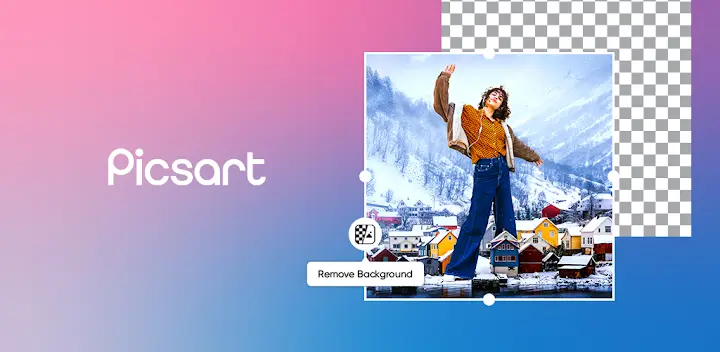
Most people will open Picsart to clean up a photo, and that is where the app starts. The background remover lifts a subject off its backdrop, which is the step that turns a phone snapshot of a product into something usable in an ad. You can refine the edges, then let Smart Background drop in a new setting behind the subject instead of leaving it on plain white.
The object remover does the opposite job. It erases things you do not want in the frame: a stray cup, a passerby, clutter on a shelf. AI Expand stretches an image past its original borders, which is useful when a square photo has to fill a tall story frame. Together, these three tools cover most of what a seller or a social manager needs before a photo is ready to post.
Daily work: templates, text and collages
Once the photo is clean, it usually goes into a layout, and Picsart leans hard on templates for that. There are ready-made starting points for social posts, stories, posters and business cards, plus an AI logo maker. For someone without design training, starting from a template made by a professional editor is the fastest way to get something that looks deliberate.
The text editor offers hundreds of fonts with adjustable styles, and the sticker library runs to what the developer counts as 60M+ items, along with a tool for making your own. Collages come in grid and freestyle forms, which suits mood boards and before-and-after posts. AI Writer drafts captions and marketing copy, so the words on a post can come from the same place as the picture.
Portrait work gets its own set: AI Retouch for skin and facial detail, AI Enhance to sharpen up a weak image, and AI Replace for face swaps, hair color and selfie changes. Those face tools are the reason the app carries a parental guidance rating, and they are worth knowing about if a younger person in the house uses it.
When you reach for the AI
The bigger generative features are the ones most people will use now and then rather than every day. The image generator turns a text prompt into art, images or GIFs, the video generator works from text or a still image, and there are AI avatars built from uploaded selfies, AI video avatars and an AI try-on for testing outfits. Gen AI Studio and AI Playground are separate spaces for experimenting with these.
Aura is the newest layer and the most ambitious. Instead of opening tool after tool, you describe what you want in a chat, and Aura generates and then refines images and videos in the same conversation. It suggests prompts, remembers earlier chats and lets you share a session. Behind it, the developer says, sit models from other companies, including Nano Banana for images and Veo 3, Kling, Runway and Luma for video, with the caveat that availability may vary.
That caveat matters. If you install Picsart specifically for one of those named video models, you are relying on access the developer does not promise to every user.
What it costs to go further
Picsart is free to install, and the developer points to an interest-based advertising policy, so expect ads in the free version. Beyond that there are two paid tiers. Plus adds premium content, more templates and extra retouching. Pro adds more AI tools, extra team seats for small businesses and more storage.
The split tells you who the paid tiers are aimed at. Plus is for the person who keeps running out of templates or wants deeper portrait work. Pro is for a small team that wants to share a workspace and lean heavily on generation. The catch for everyone else is that the AI is the headline, and "more AI tools" is a Pro line item, so the free app gives you a taste of the generative side rather than all of it. No prices are given here, so check the in-app offer before committing to a renewal.
Who should look elsewhere
If all you want is to brighten a photo or crop it for a message, Picsart is far more app than the task requires. A basic gallery editor will do that without templates, stickers, a community feed and a stack of generators in the way.
The same goes for people with one narrow need. Someone who only wants to rescue blurry old photos may be better served by a dedicated enhancer such as Remini, and someone interested only in face edits might look at a focused tool like FaceApp. Picsart does both of those jobs as part of a much larger kit, but you pay for that kit with clutter, and possibly with a subscription.
Anyone who would rather not have their editing tied to ads or an upsell should also think twice. The free version is clearly meant to lead toward Plus or Pro, and the most talked-about features are where that pressure lands.
The verdict
For its intended user, Picsart offers a great deal in one place. A small business owner or regular creator can cut out a product, remove a distraction, drop the result into a template, add copy from AI Writer and cut a short video, all without switching apps. Aura's chat approach is a sensible answer to an app this crowded: you describe the result rather than hunting through menus for the tool.
The terms hold it back. Ads in the free version, premium templates and retouching in Plus, and the fuller AI set in Pro mean the version that matches the marketing is a paid one, and the outside models behind Aura are not guaranteed to everyone. It earns a 3.8: a strong choice if you make social content every week and are willing to pay, and more than you need if you only edit now and then.
By Trang Nguyen
Editor, media and streaming ·
The app in this story
Picsart AI Photo Editor, Video
com.picsart.studio